
Simple on both sides of the counter.
You have an app. Your customer has none. That is the whole mechanism behind Aster, and it is what makes a program actually start instead of dying at the moment someone would have to download something.
The full cycle, in five moves
Three belong to you, two belong to your customer.
You create
Program type, threshold, reward. Two minutes in the app, once.
You display
Your program QR code, printed at the counter or on a screen. That is the way in.
They sign up
They scan, enter a first name and number, and the card opens. Ten seconds, nothing to install.
You scan
On every visit, you scan their card. The counter moves instantly on their phone.
You reward
At the threshold, Aster tells you. You hand over the reward, the counter resets.
And it starts again
With no card to reprint, no stamp to find, and no customer back at zero because they lost a piece of cardboard.
Everything runs from your phone
The merchant app is available on iPhone. There is nothing else to buy, no terminal, no reader, no tablet.
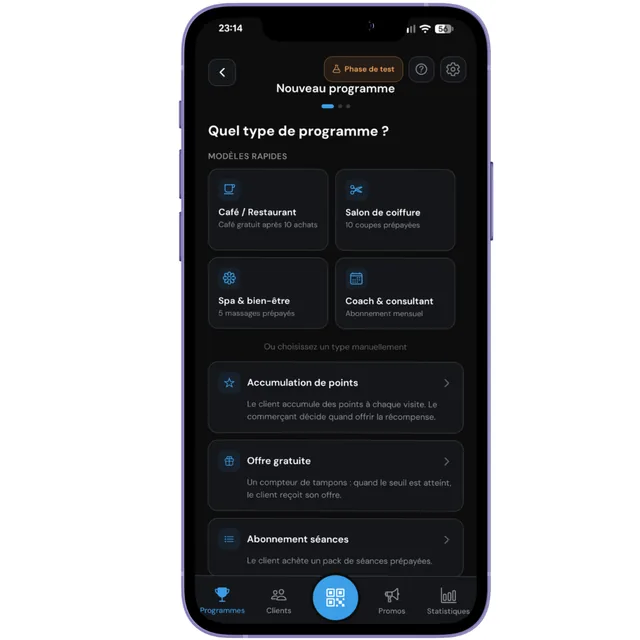
Create your program in two minutes
Pick a template matching your trade, or set the type by hand. Then enter the threshold and the reward, in your own words.
You decide everything here. Aster suggests no reward on your behalf and passes no judgement on your threshold.
Scan on every visit
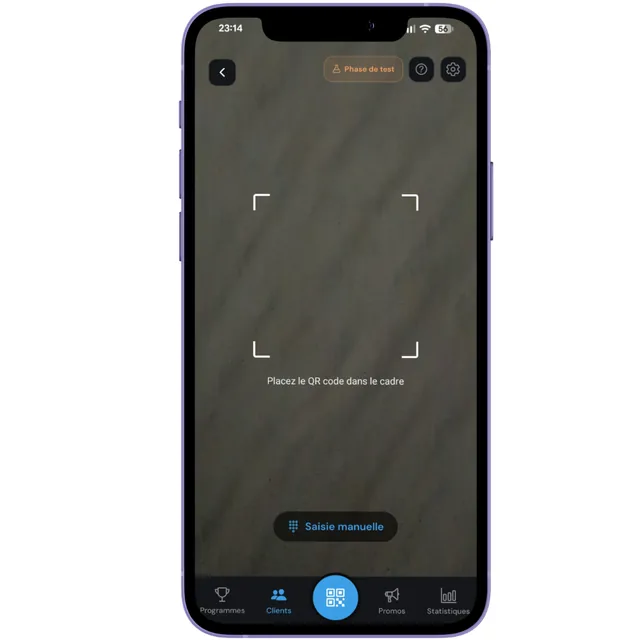
The customer shows you their card, you scan it from the app. The stamp lands immediately and their card updates on their phone, even if they have tucked it into their digital wallet.
If the camera refuses to read the code, on a cracked screen for instance, you can type the card number by hand.
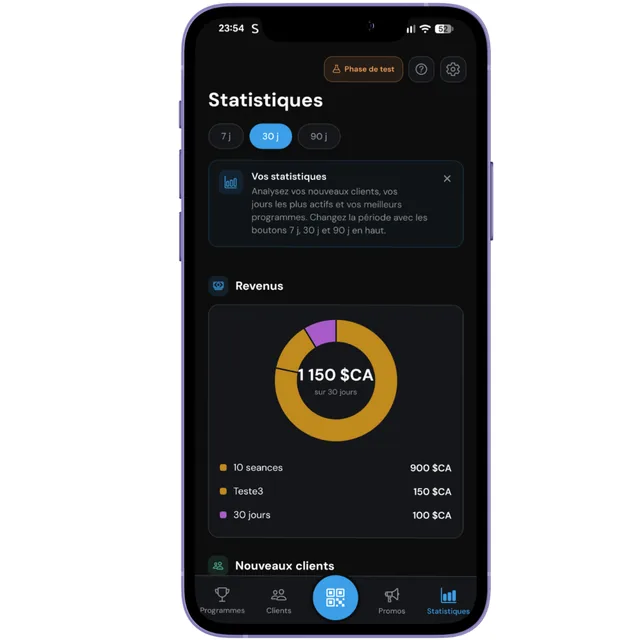
See what is actually happening
Number of visits, new customers, completed cards, busiest days. Exactly what a cardboard card will never tell you.
Revenue figures are an estimate, calculated from an average price you enter once. No amount is ever entered at the counter.
Your customer installs nothing, ever
This is Aster's most defining decision. An app to download at the counter is a loyalty program that does not start.
They scan
With their phone camera, the way they already do for a restaurant menu. No app to find.
They introduce themselves
A first name and a phone number. Nothing else. No email, no password, no account.
Their card is added to their Wallet
Google Wallet or Apple Wallet, in one tap, beside their tickets and cards. Their stamps and next reward are visible there.
It also stays in the browser
Their card link stays valid at all times, even without Wallet or on a device that doesn't support it.
Passes go through your approval
For stamp cards and points, the customer's card is created immediately. For the two pass types, it is not.
Stamps and points
The customer scans, fills the form, and their card exists right away. You have nothing to do, and they start collecting on their next visit.
Session and time passes
Signing up creates a pending request in your app. You approve it when the customer pays for their package at the counter, or you decline it.
The mechanism is simple. The rest is detail.
The guide walks through every screen of the app, one by one, with the problems you may hit and how to solve them.